Capi & Server side tracking

GTM GA4 & Meta CAPI Server-Side Tracking Setup for eCommerce

Complete end-to-end implementation of privacy-safe, conversion-ready analytics with server-side tracking architecture

Project Overview

Transforming raw data into actionable insights through advanced tracking architecture

14+

Tags Configured

100%

Funnel Visibility

2

Platforms Synced

0%

Data Loss

I helped an eCommerce store gain full visibility into its sales funnel by setting up GTM, GA4, and Meta CAPI with a server-side tracking system. Starting from a blank container, I built a complete flow to track every event, from product views to purchases, using custom JavaScript and data layers. With a custom Stape.io domain, all browser and server events were synced, ensuring accurate, privacy-safe, and conversion-ready analytics.

Implementation Journey

From blank container to complete tracking ecosystem

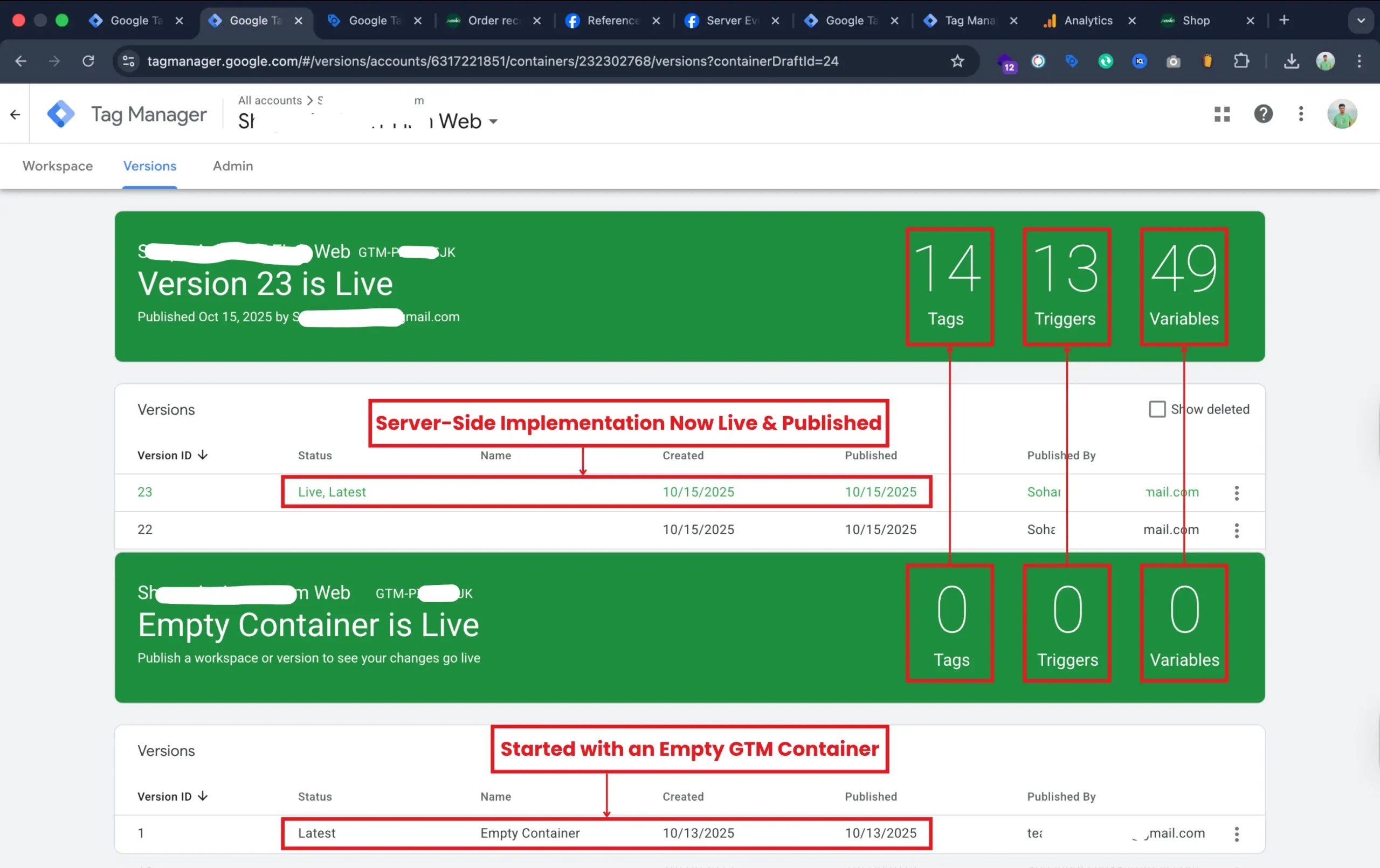
Started with Empty GTM Container Setup and Server-Side Implementation

I started with a clean GTM container and built a complete tracking setup from scratch. I added all necessary tags, triggers, and variables to capture key user interactions and eCommerce events. After rigorous testing, I published the configuration.
Structured Variable Setup for Accurate and Privacy-Safe Tracking
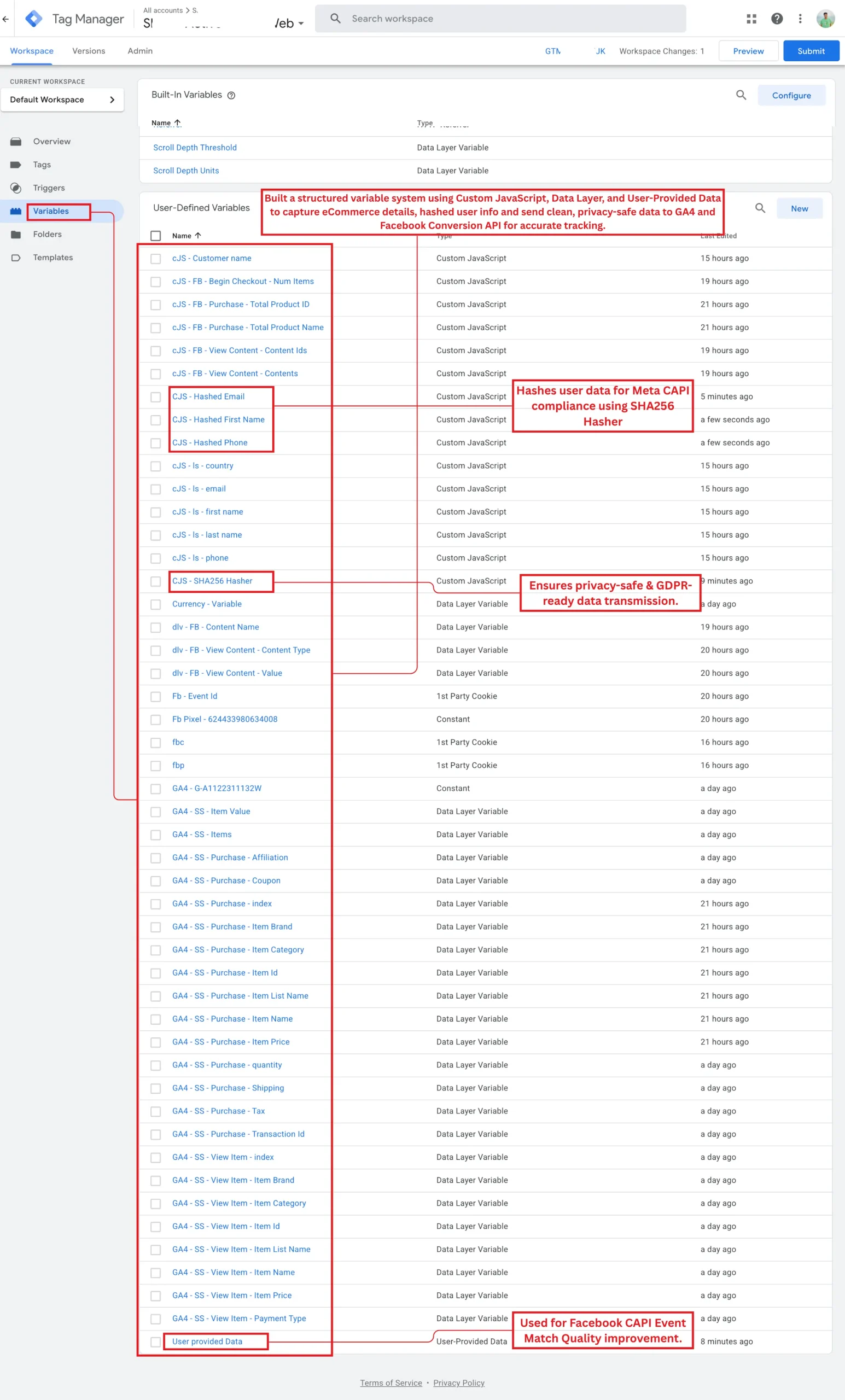
I built a well-organized variable system in Google Tag Manager using Custom JavaScript, Data Layer, and User-Provided Data. These variables capture key eCommerce details such as product names, IDs, quantities, and transaction values. For privacy compliance, I implemented SHA256 hashing to encrypt user data like email and phone before sending it to Meta’s Conversion API. This ensures data accuracy while maintaining GDPR and Meta CAPI standards, resulting in secure, reliable event tracking across platforms.

GA4 and Meta Trigger Setup for Precise Event Tracking
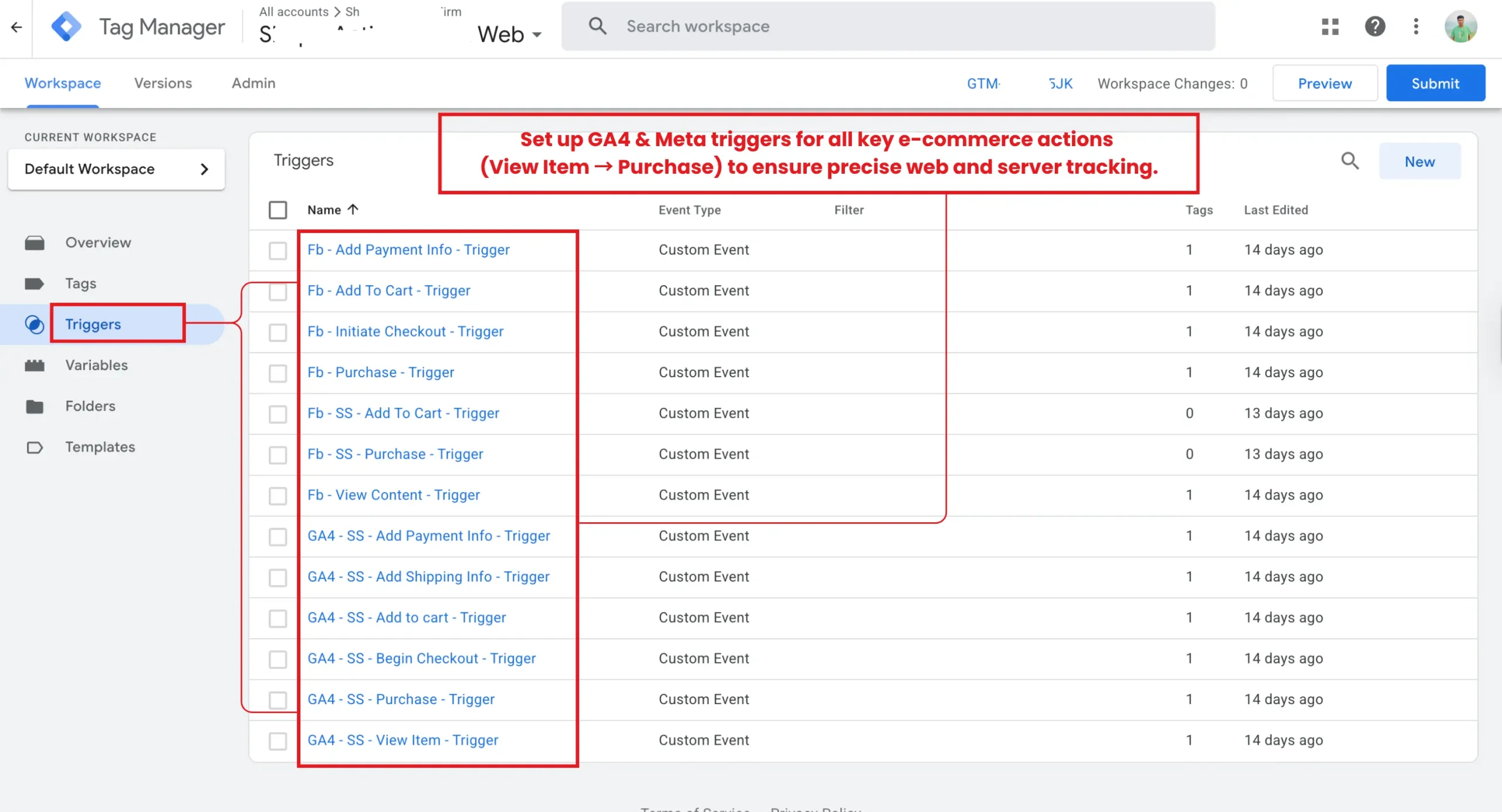
I created dedicated triggers for every key eCommerce event — from viewing a product to completing a purchase. Each trigger was configured for both GA4 and Meta to ensure synchronized event firing between web and server tracking. This structure guarantees that every user interaction is captured with precision, forming the backbone of accurate conversion tracking across analytics and advertising platforms.

GA4 and Meta Pixel Tag Setup for Complete eCommerce Tracking
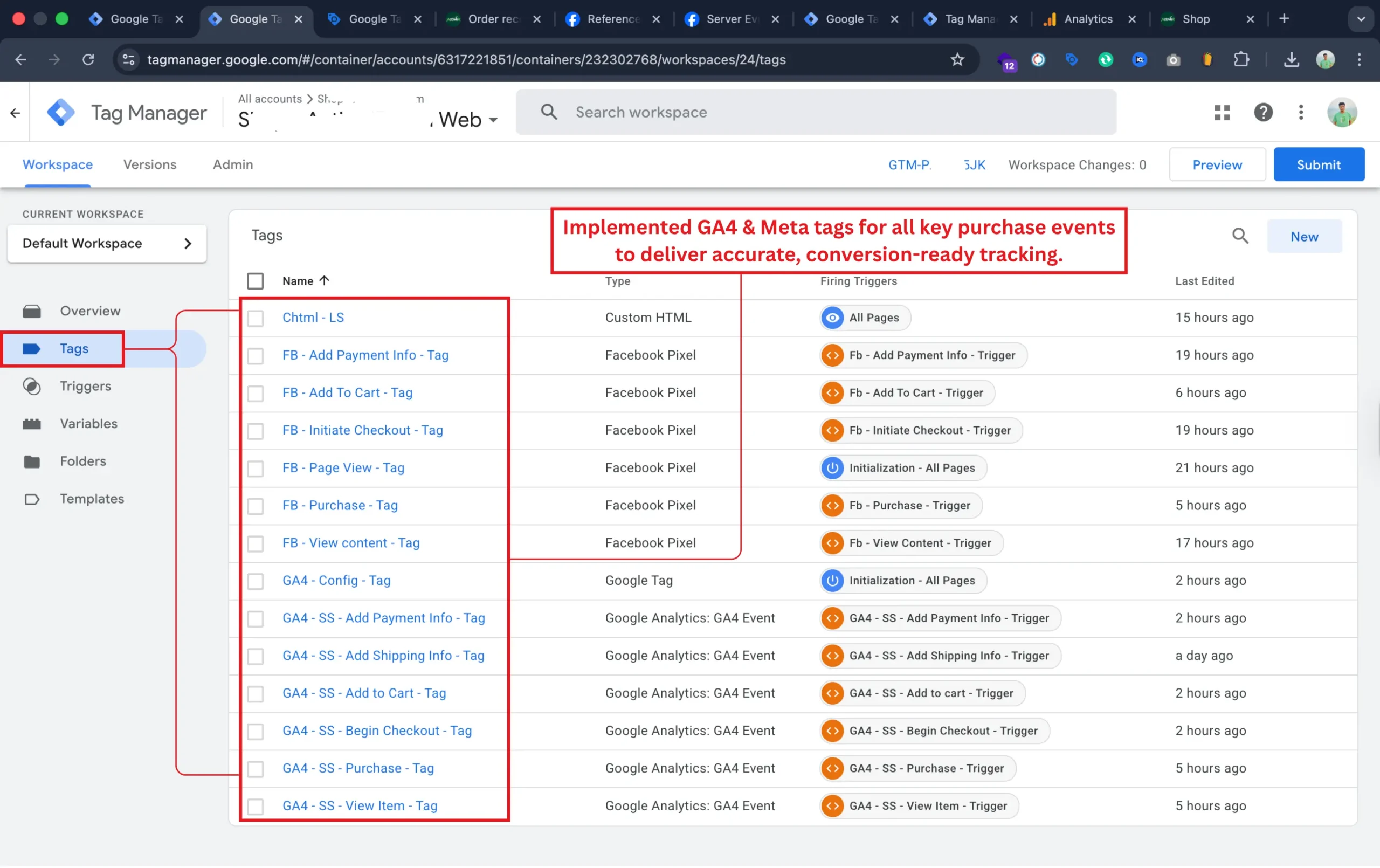
I implemented Google Analytics 4 (GA4) and Meta (Facebook Pixel) tags for all major eCommerce events, including product views, add-to-cart actions, checkout, and purchases. Each tag was paired with a dedicated trigger to capture user behavior accurately. This ensures the client’s marketing platforms receive precise, conversion-ready data for campaign optimization and remarketing.

Configured Server-Side GA4 Purchase Tag with Complete Parameters
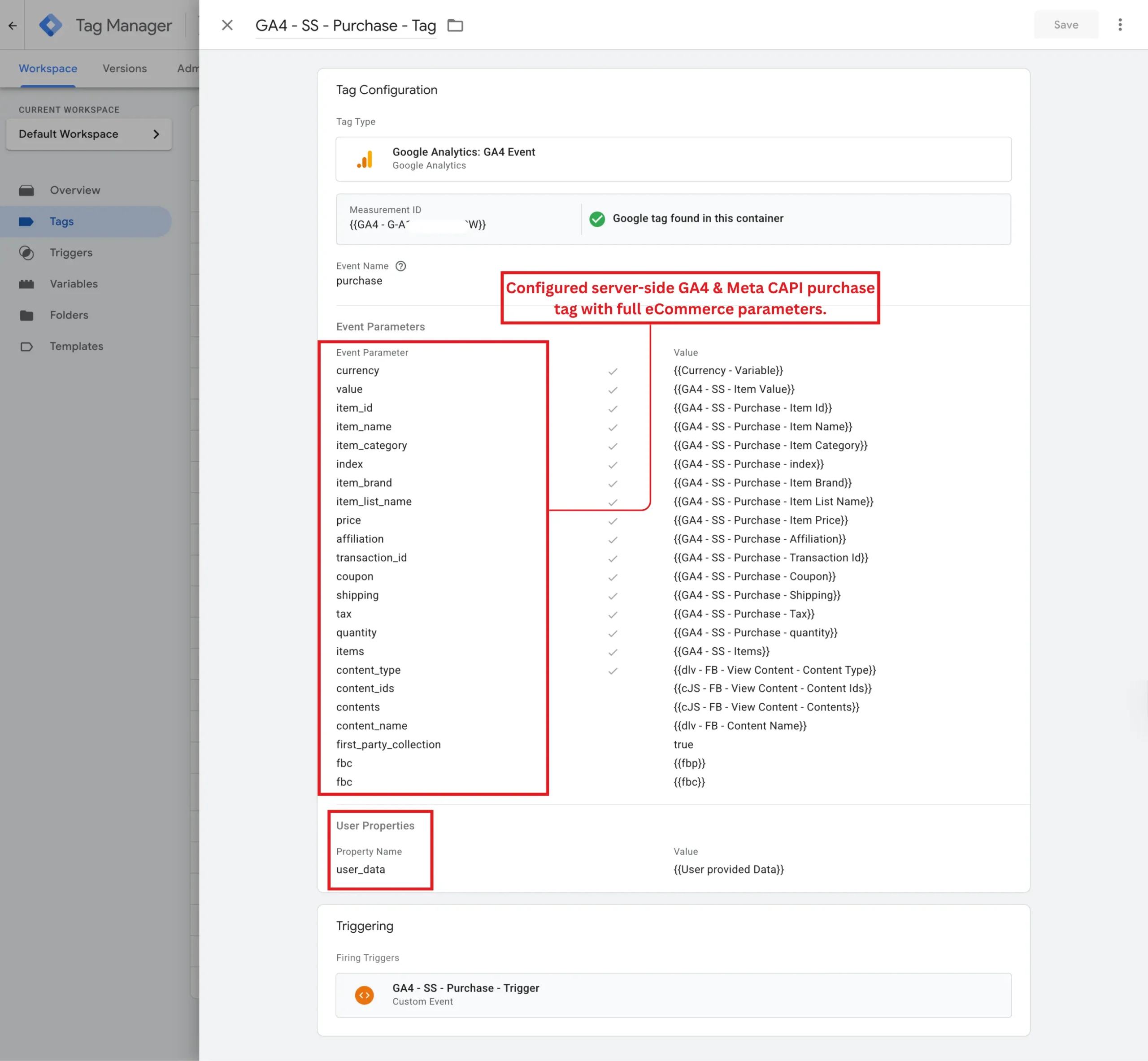
I configured the GA4 Server-Side Purchase tag with all essential eCommerce parameters, including product details, pricing, quantity, transaction ID, and more. I also mapped user data through User Properties and connected this setup with Meta’s CAPI for improved attribution accuracy. This ensures every transaction is tracked precisely while maintaining data integrity across both GA4 and Meta Ads platforms.

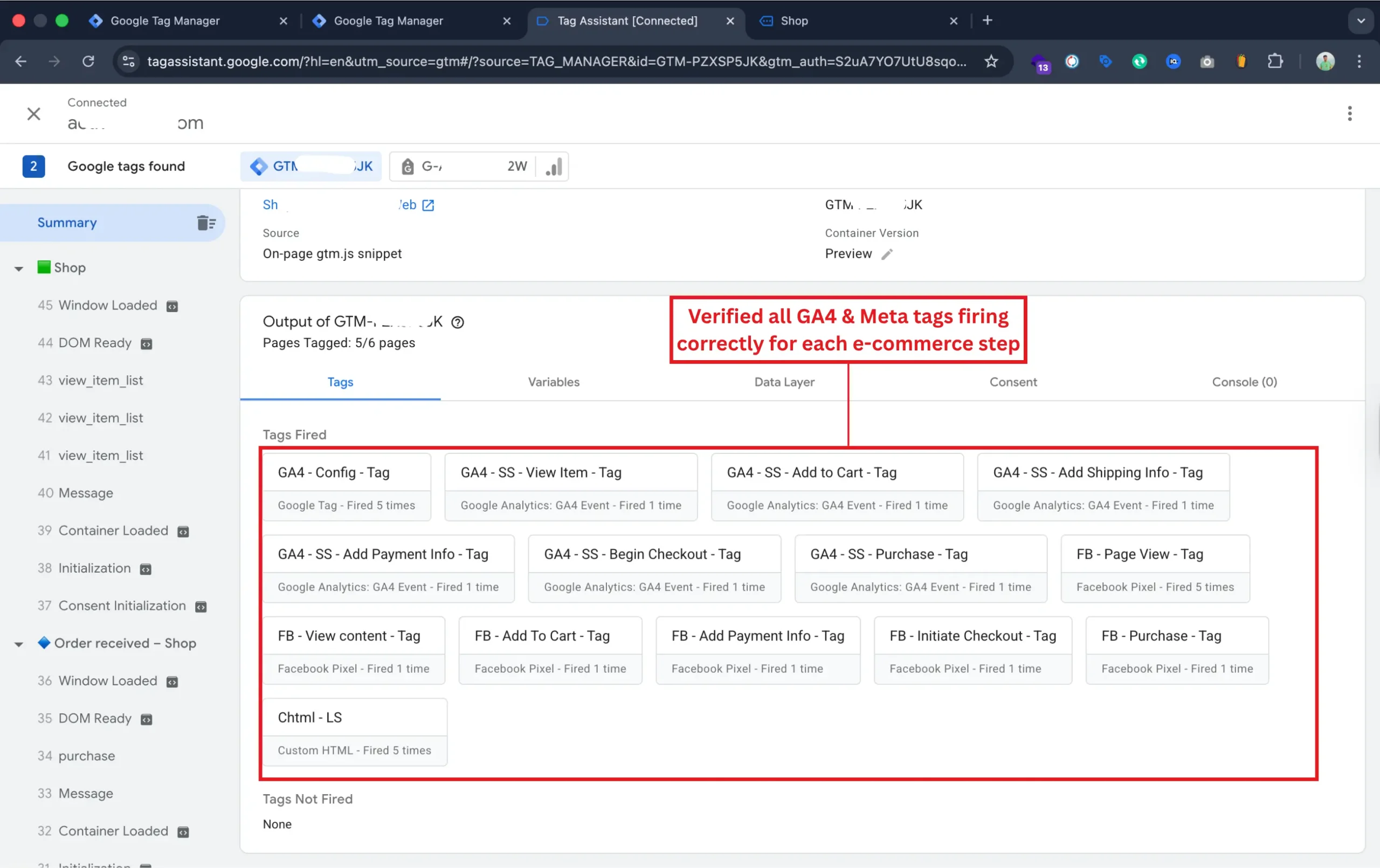
Tag Validation and Debug Testing

After configuring all GA4 and Meta tags, I used Google Tag Assistant to thoroughly test and confirm that every tag fired correctly for its corresponding eCommerce event — from View Item to Purchase. This verification step ensured the accuracy of event tracking across both platforms, confirming that web and server-side triggers were working in sync for reliable data flow and conversion tracking.

Verified eCommerce Funnel Events in GA4 DebugView
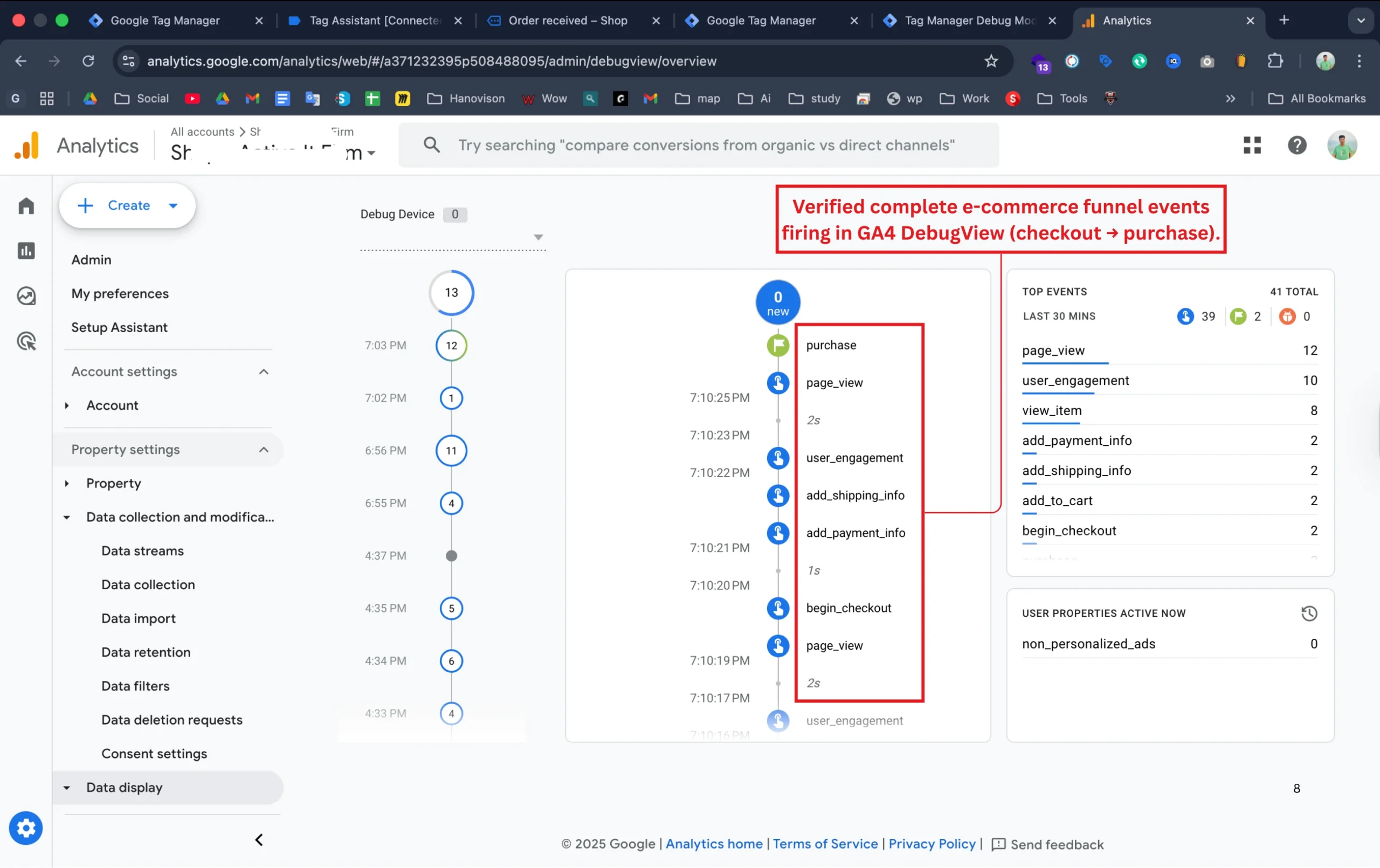
Once all tags and triggers were configured, I validated the full eCommerce funnel inside GA4 DebugView. This confirmed that every key event — from begin_checkout and add_payment_info to purchase — was being recorded in real time. This testing ensured the entire funnel was working smoothly, providing accurate event sequencing and conversion tracking data for the client’s analytics dashboard and marketing campaigns.

Verified Purchase Event Parameters in GA4 DebugView
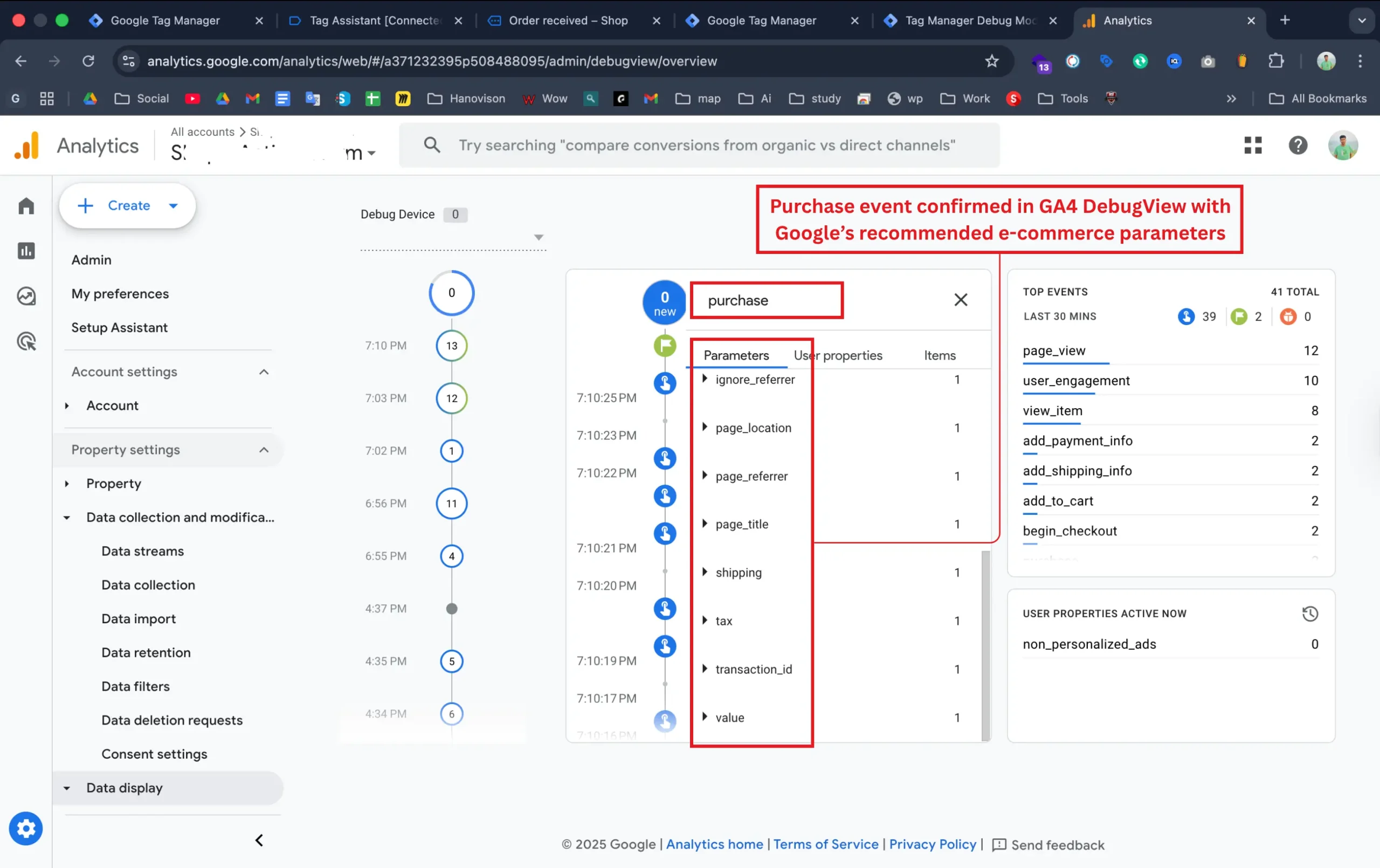
After confirming that all eCommerce funnel events were firing correctly, I validated the purchase event in GA4 DebugView. This test confirmed that all required parameters, including transaction ID, value, tax, and shipping, were passed correctly, matching Google’s recommended eCommerce schema. This step ensured the client’s purchase data was captured with complete accuracy for conversion reporting and revenue tracking inside Google Analytics 4.

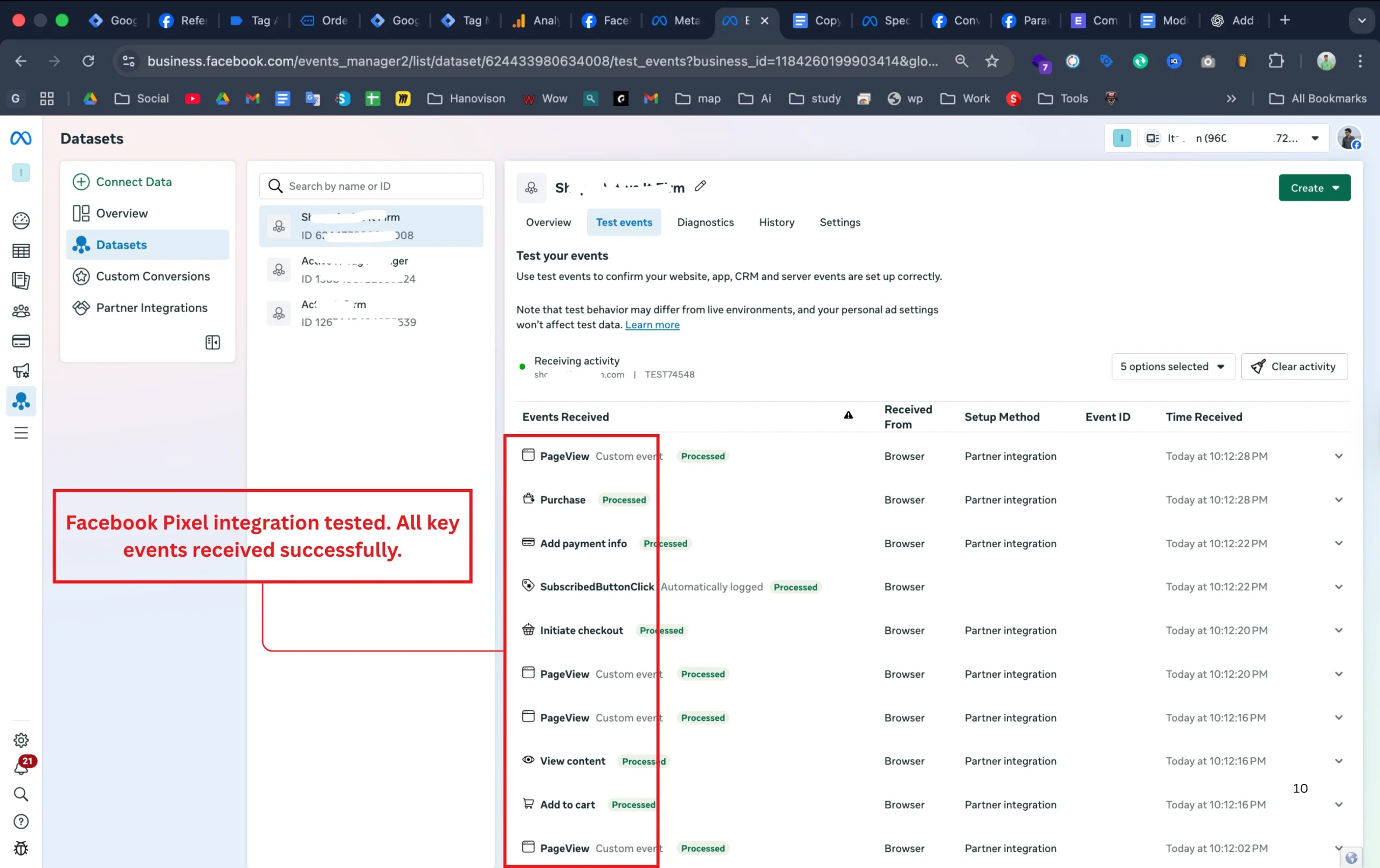
Facebook Pixel Event Testing and Validation in Meta Events Manager

I tested the Meta (Facebook) Pixel integration to confirm that all browser-based eCommerce events, such as View Content, Add to Cart, Initiate Checkout, and Purchase, were being received and processed correctly in Meta Events Manager.

This validation ensured the Pixel setup was fully functional, providing accurate event tracking and preparing the system for the next step, server-side (CAPI) integration.
CAPI Deduplication Validation for Accurate Meta Event Tracking
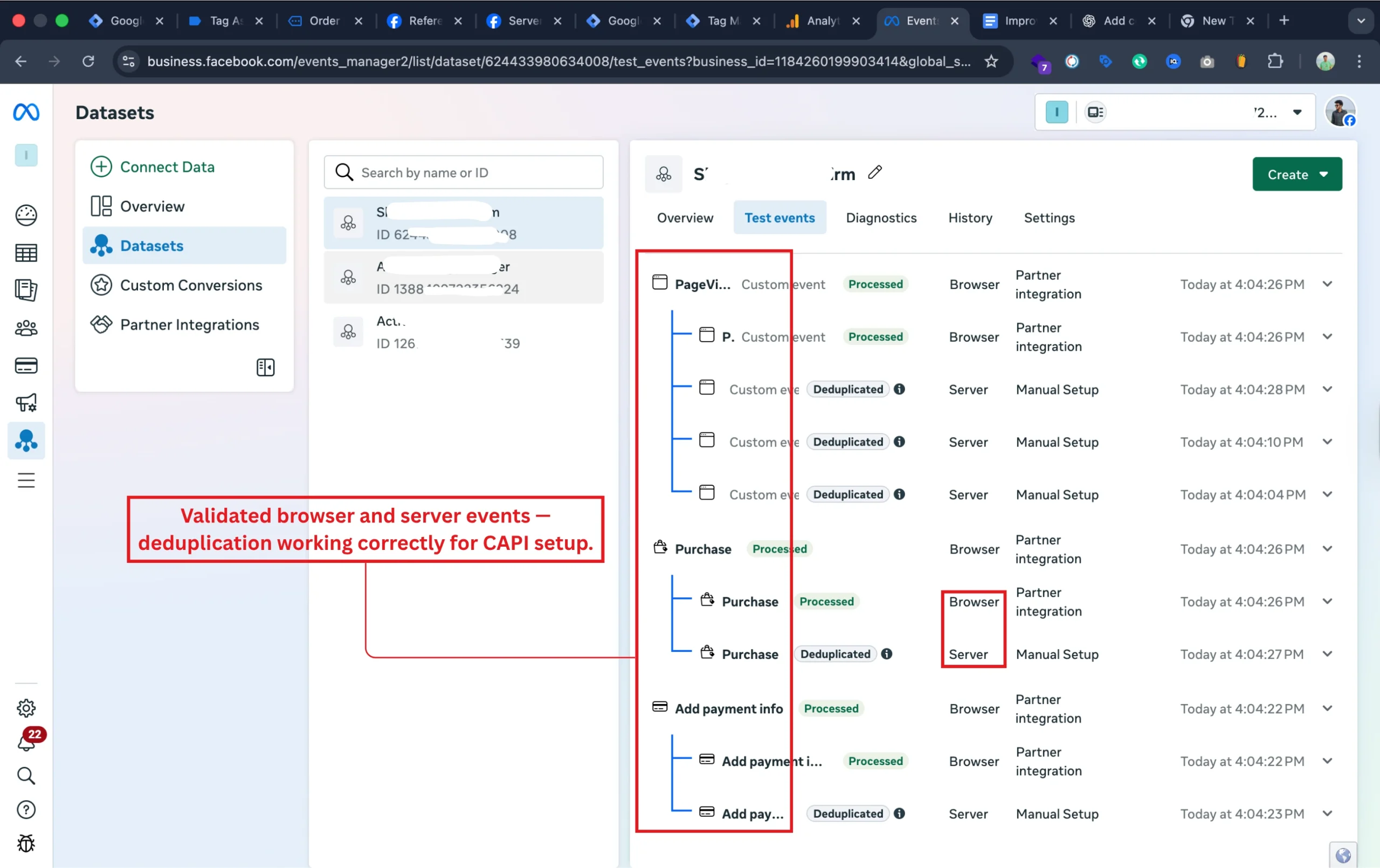
After setting up the Meta Conversion API (CAPI), I verified that all browser and server events were being received correctly and deduplicated in Meta Events Manager. This ensured that the same event wasn’t double-counted when sent from both browser and server sources. The successful deduplication confirmed the integrity of the CAPI setup — providing more accurate tracking, stronger data reliability, and better attribution for Meta Ads campaigns.

Verified Server-Side Purchase Event Parameters Delivery via CAPI
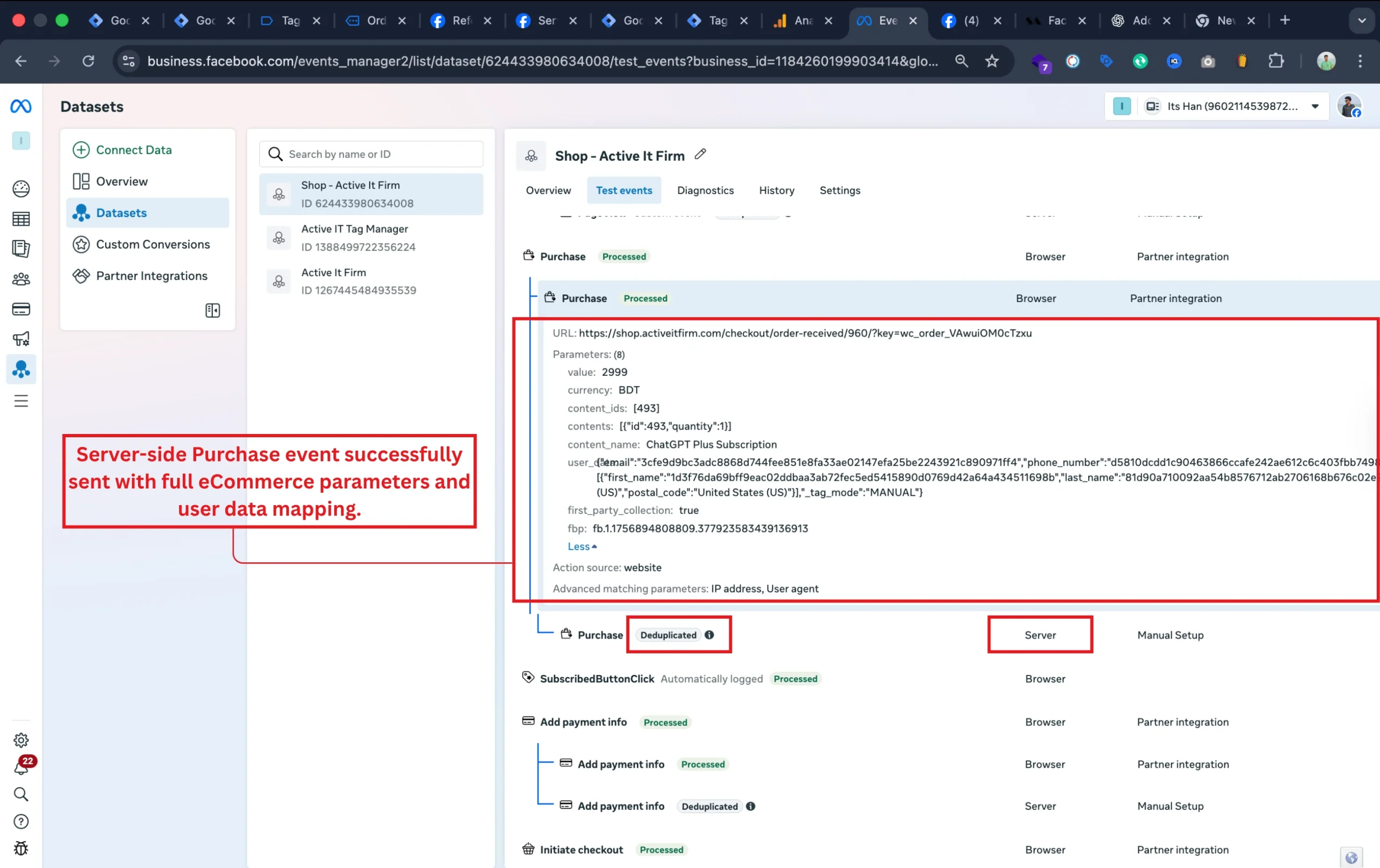
I confirmed that the server-side Purchase event was successfully sent to Meta via the Conversions API (CAPI). The payload included all key eCommerce parameters — such as product IDs, item names, currency, and value — along with securely hashed user data for matching accuracy. The event was deduplicated and processed successfully, proving that the CAPI setup was transmitting reliable purchase data from the server to Meta for improved attribution and ad optimization.

Configured Custom Tagging Server Domain via Stape.io
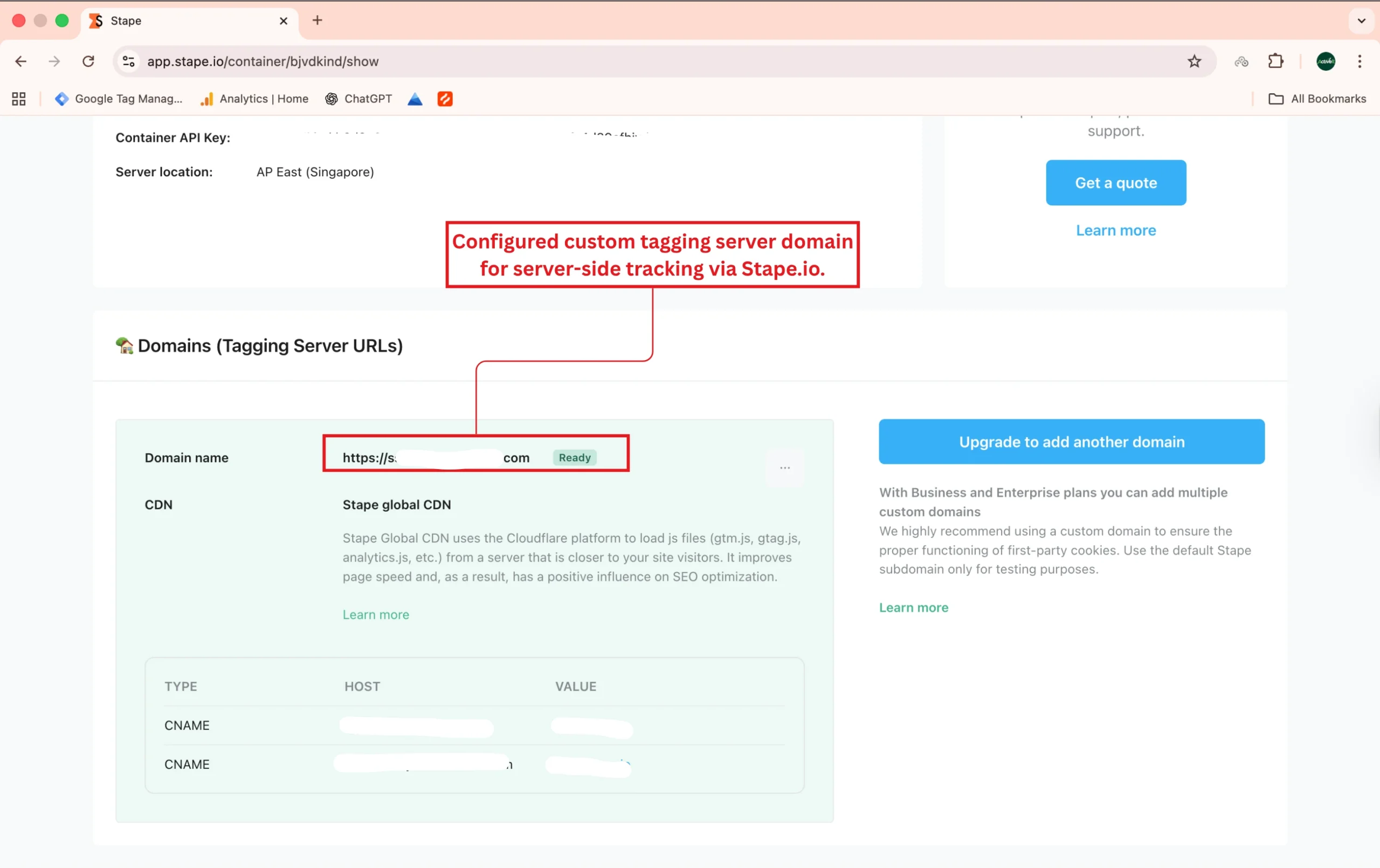
I configured a dedicated tagging server domain through Stape.io to manage server-side tracking requests. This setup ensures smoother data flow from the website to GTM and analytics tools while maintaining secure, first-party data handling. With the server running on Stape’s global CDN, the configuration enhances page performance, tracking reliability, and privacy compliance for advanced marketing analytics.

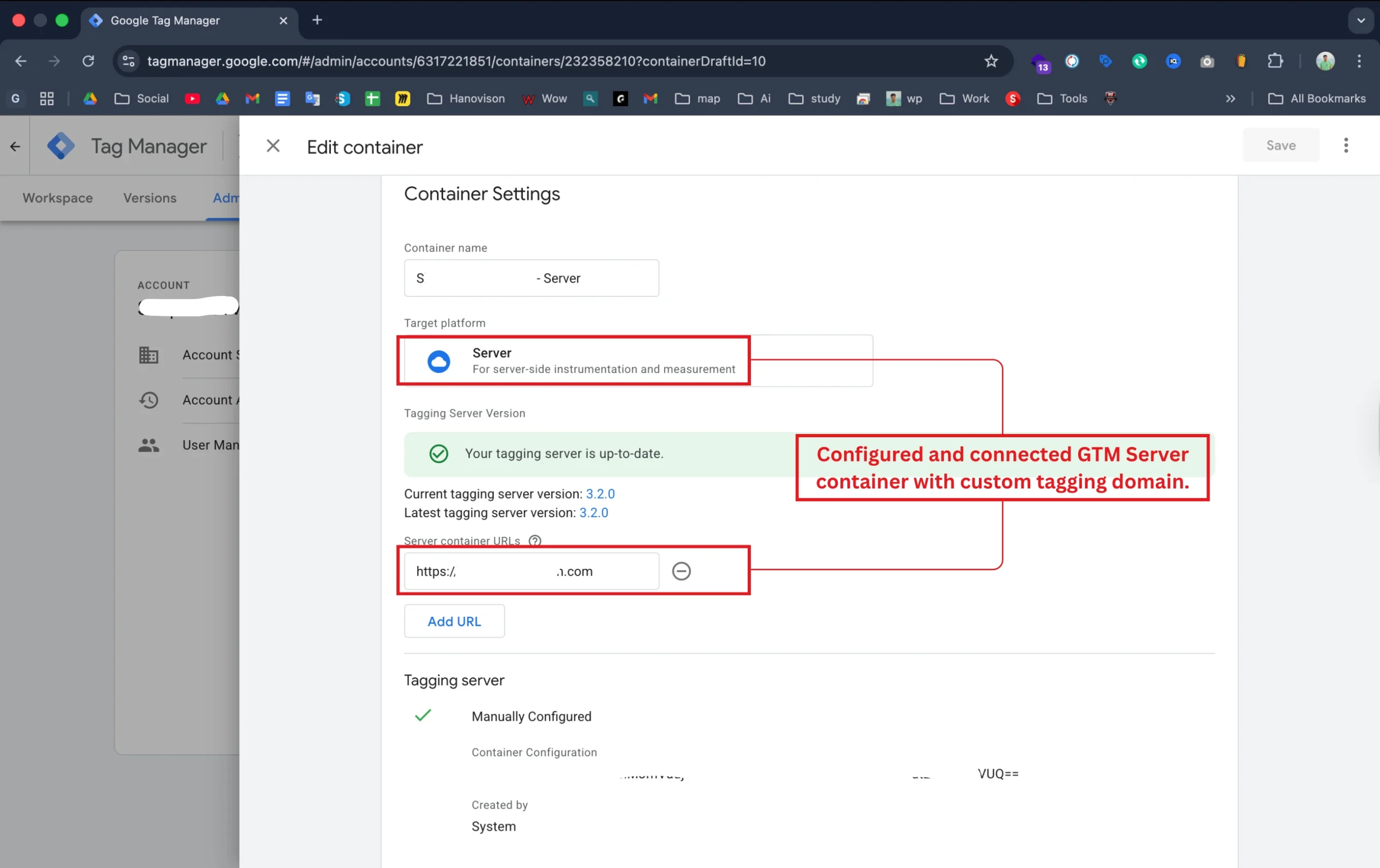
Connected GTM Server Container with Custom Tagging Domain

I configured and connected the Google Tag Manager (GTM) Server container to the custom tagging domain previously set up through Stape.io. This step ensured that all server-side events and data were routed through a secure, branded domain instead of a third-party URL.

With the tagging server verified and up to date, this configuration improved event accuracy, enhanced data ownership, and prepared the client’s setup for advanced analytics integrations.
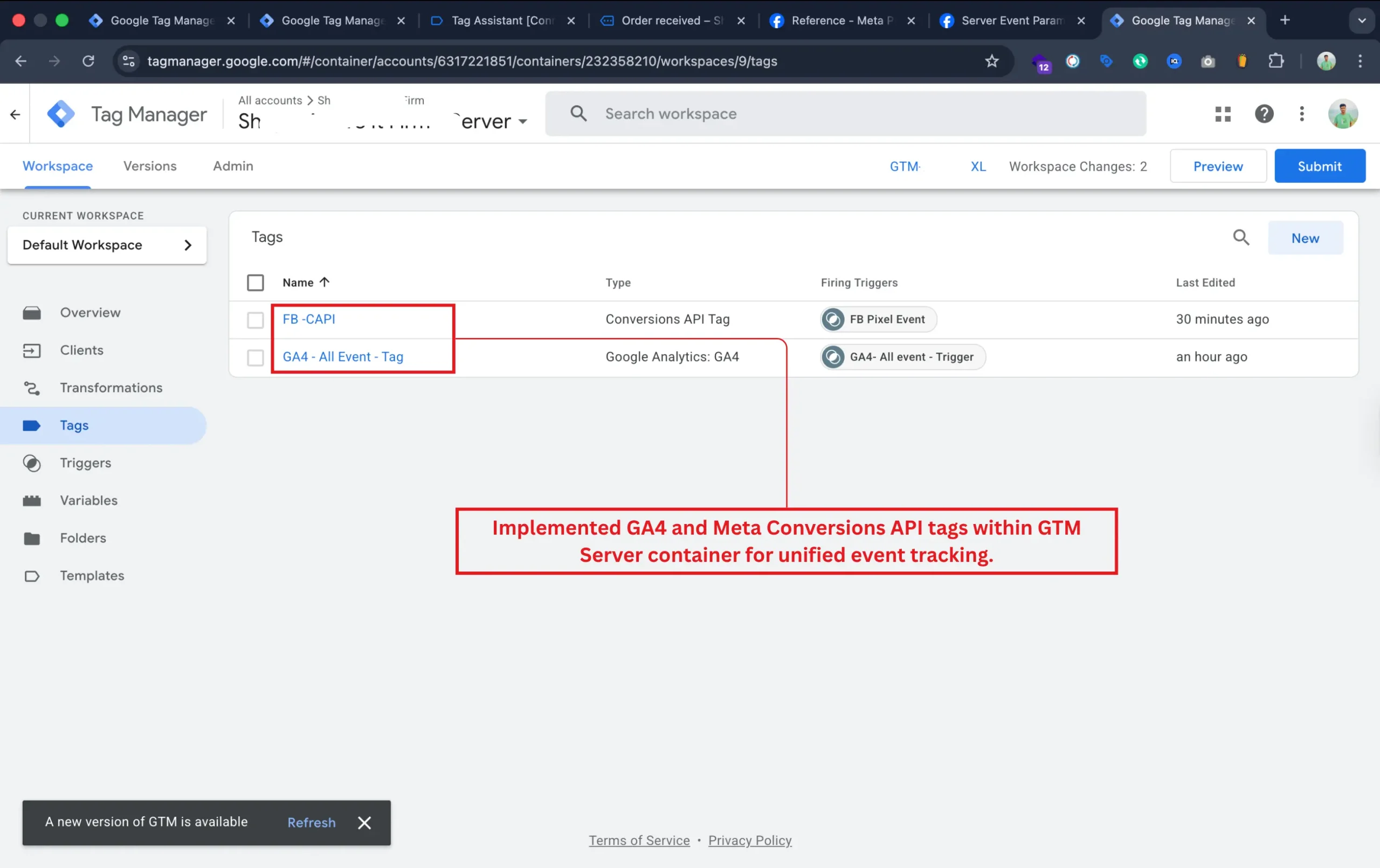
Implemented GA4 and Meta CAPI Tags in GTM Server Container

In the final stage, I implemented both Google Analytics 4 (GA4) and Meta Conversions API (CAPI) tags within the GTM Server container. These tags were configured to send unified event data from the server to both analytics and ad platforms.

This setup ensured more reliable event delivery, reduced data discrepancies between platforms, and created a seamless link between web and server-side tracking — completing the full eCommerce measurement framework.
Technologies & Tools

Industry-leading platforms and protocols

Google Tag Manager

Google Analytics 4

Meta Conversion API

Facebook Pixel

Stape.io

Custom JavaScript

Data Layer

SHA256 Encryption

Server-Side GTM

Tag Assistant

GA4 DebugView

Meta Events Manager

Ready to Transform Your Analytics

Let’s build a tracking system that gives you complete visibility, accurate attribution, and privacy-safe data collection.