Implemented a full GA4 e-commerce setup in Google Tag Manager, starting from a blank container. Enabled DataLayer and built custom JavaScript variables to capture multiple product IDs and names. Configured GA4 tags with recommended parameters and validated in GTM Preview and GA4 DebugView. Published the container live and delivered a Marketing Tag Plan for accurate reporting and remarketing.
IMPLEMENTATION PROCESS
From Empty Container to Full GA4 Setup
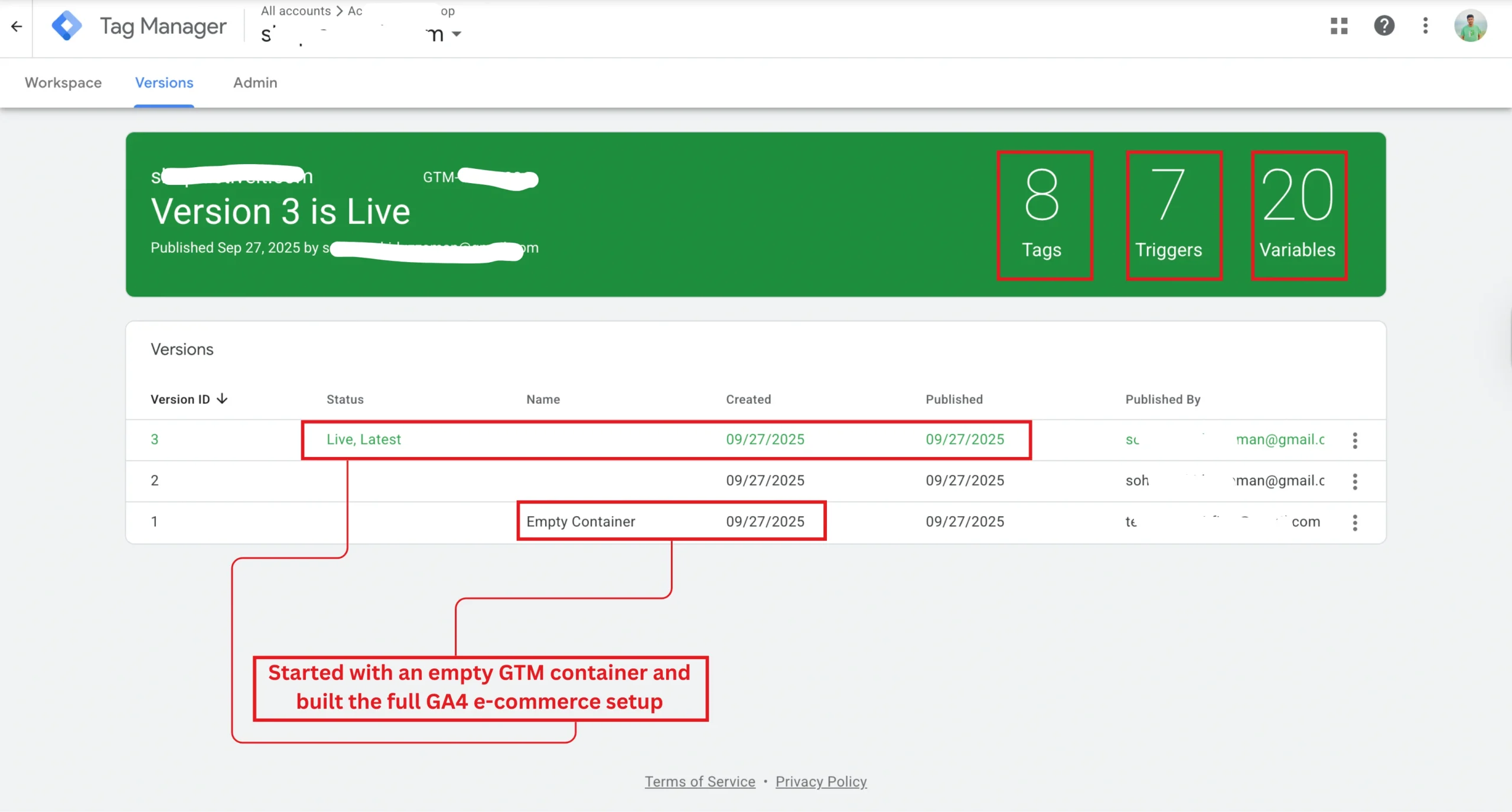
Container Published
Started with an empty container and successfully published a structured GA4 implementation covering the full e-commerce funnel.
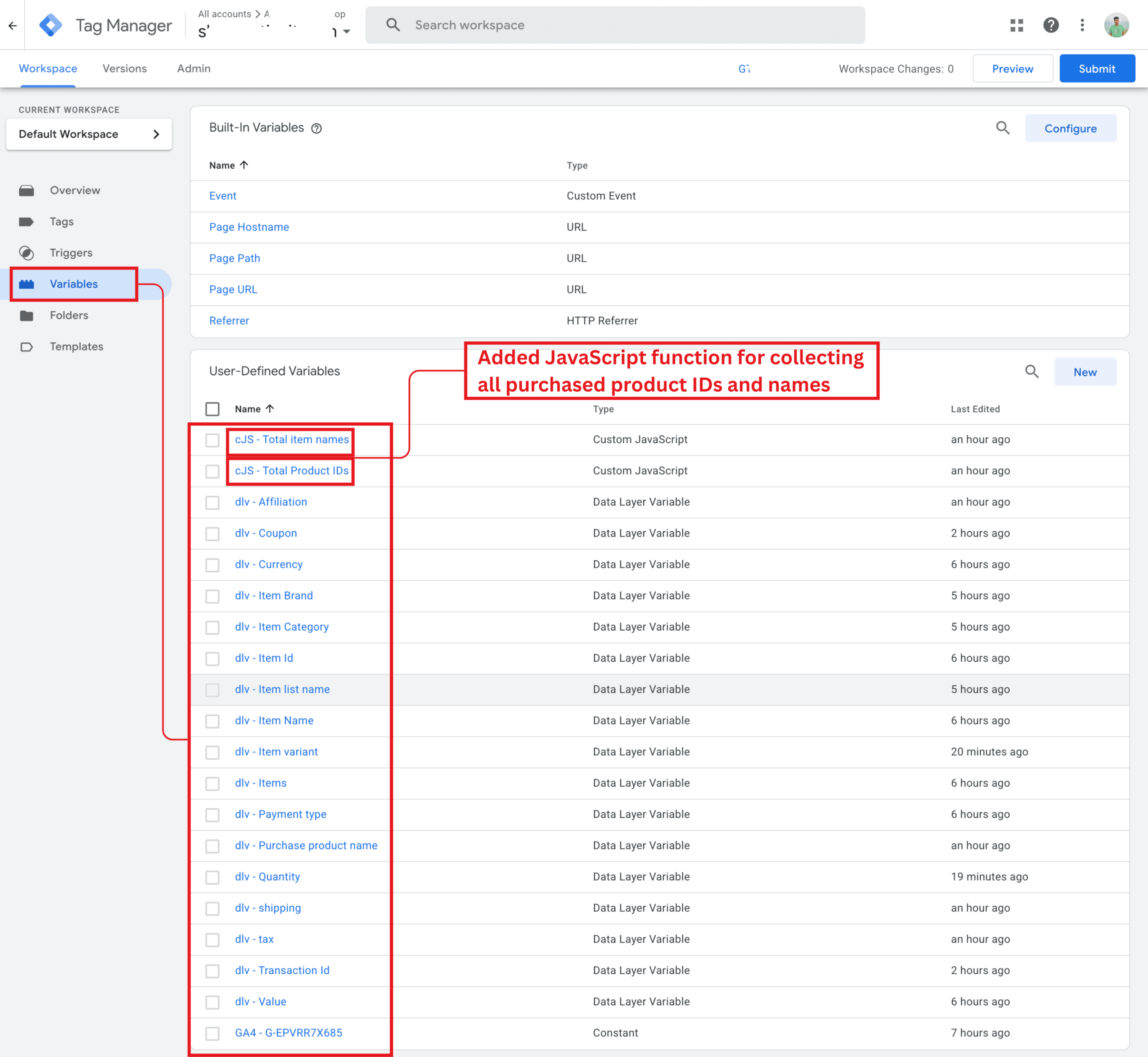
Custom Variables Setup
Enabled DataLayer and custom JS variables to capture multiple product IDs and names for GA4 purchase tracking.
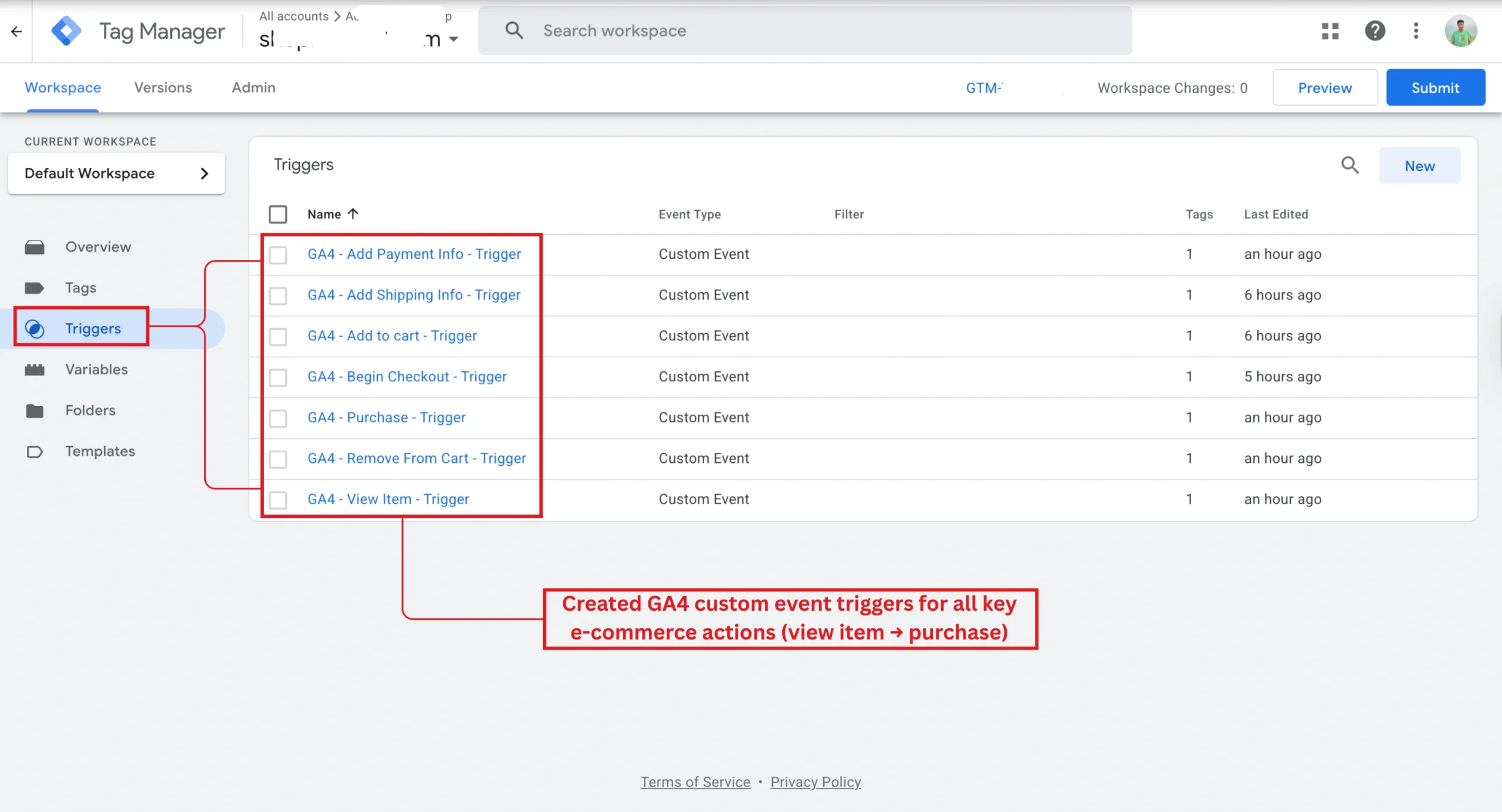
Custom Triggers
Built GTM custom triggers for GA4 e-commerce events to track user actions across the full shopping journey.
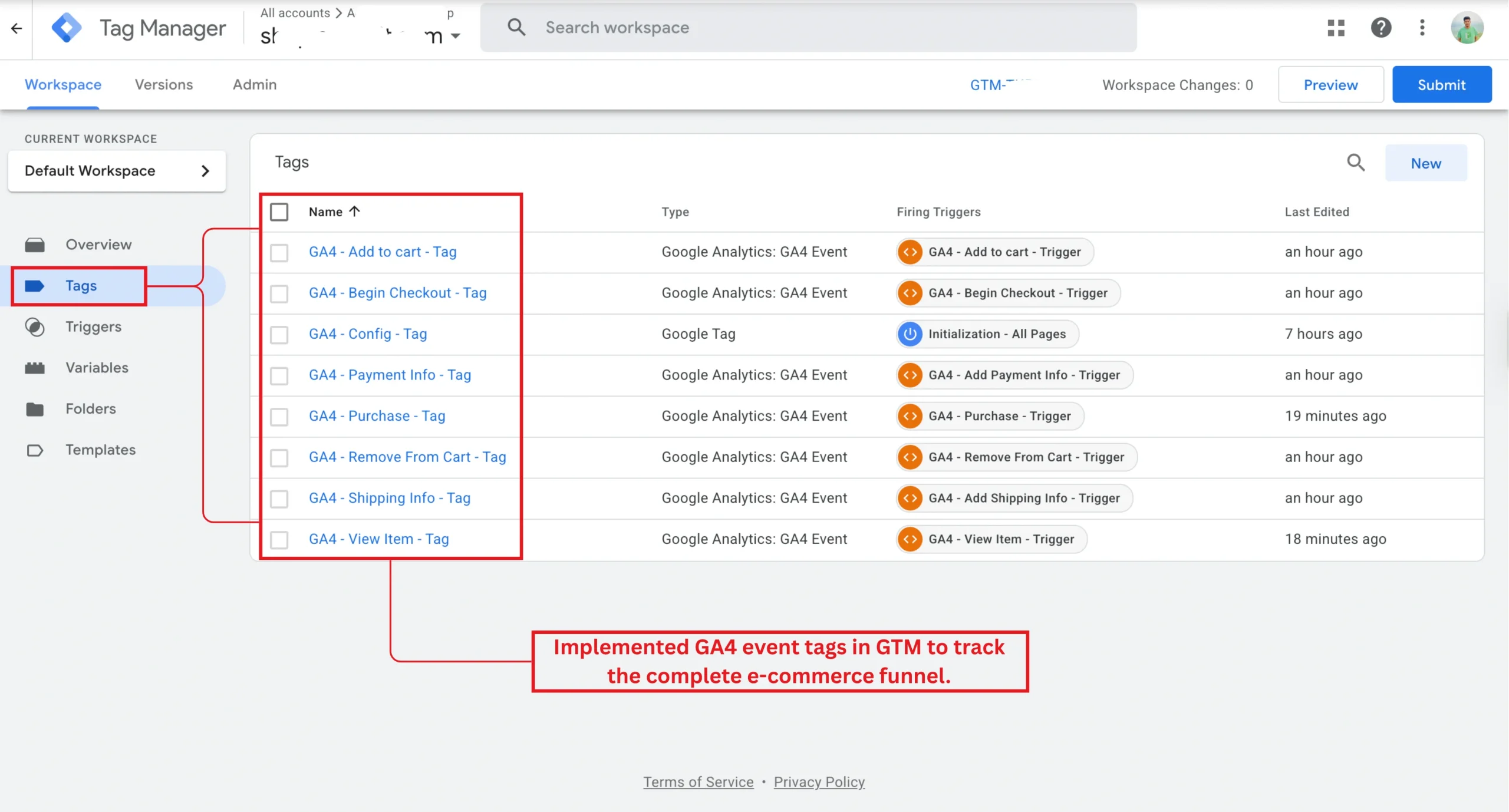
Event Tags Configuration
Implemented GA4 event tags in GTM for the complete e-commerce funnel from product view to purchase.
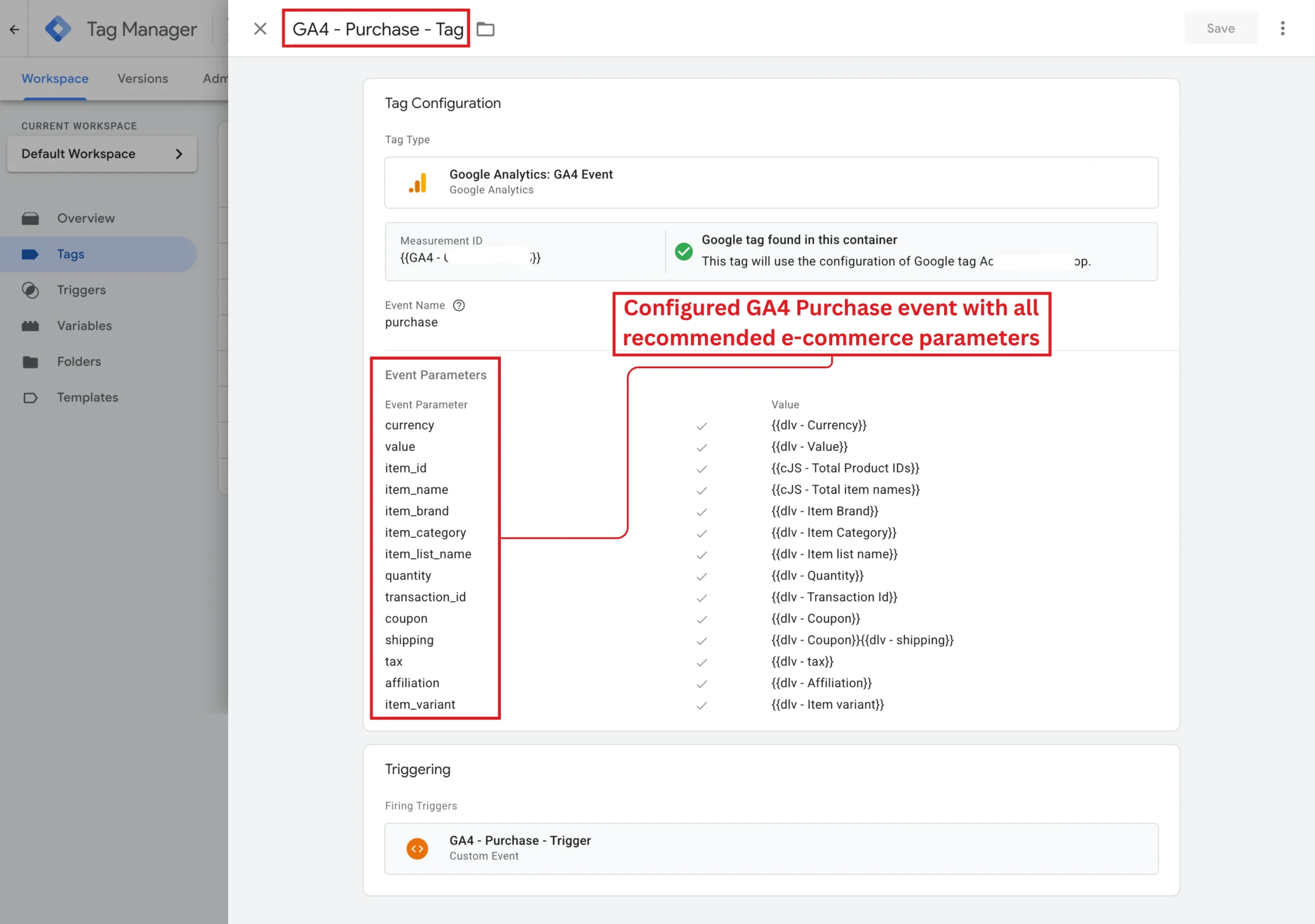
Recommended Parameters
Configured GA4 purchase event with all recommended parameters for accurate e-commerce reporting in Analytics.
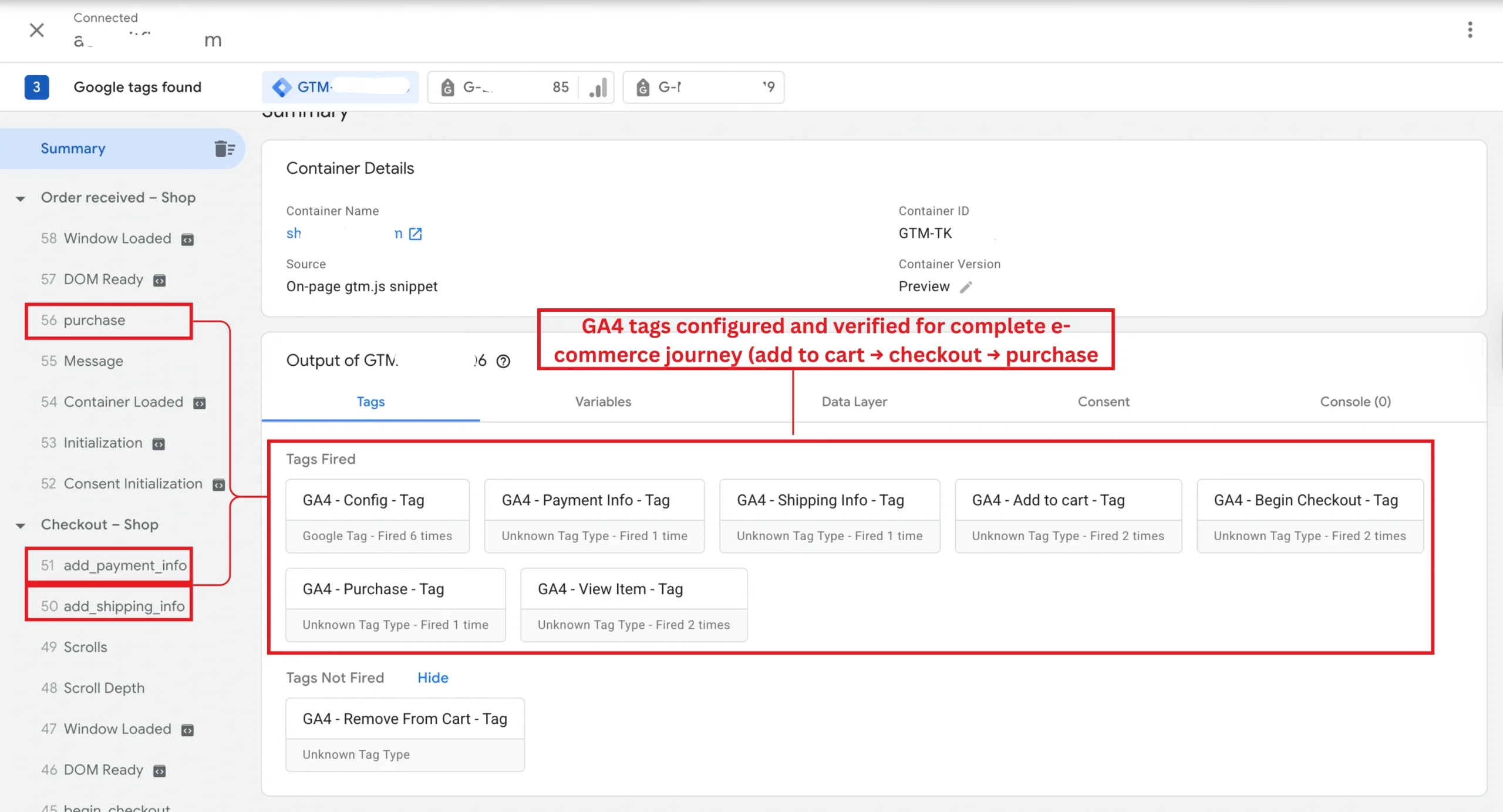
GTM Preview Validation
Validated GA4 e-commerce events in GTM Preview, ensuring correct firing of add_to_cart, checkout, and purchase tags.
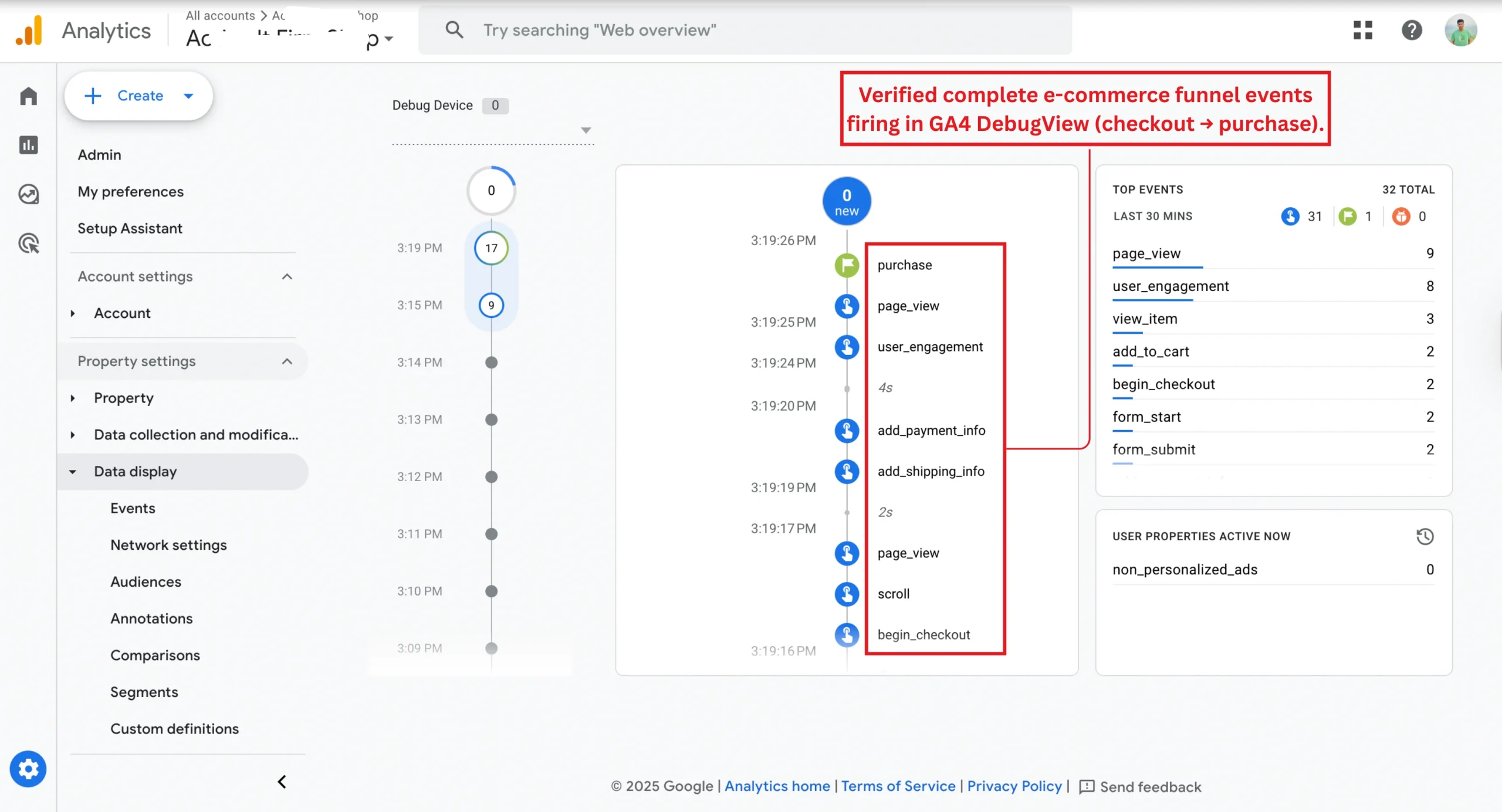
DebugView Funnel
Validated GA4 funnel events in DebugView: checkout steps, shipping info, payment info, and purchase.
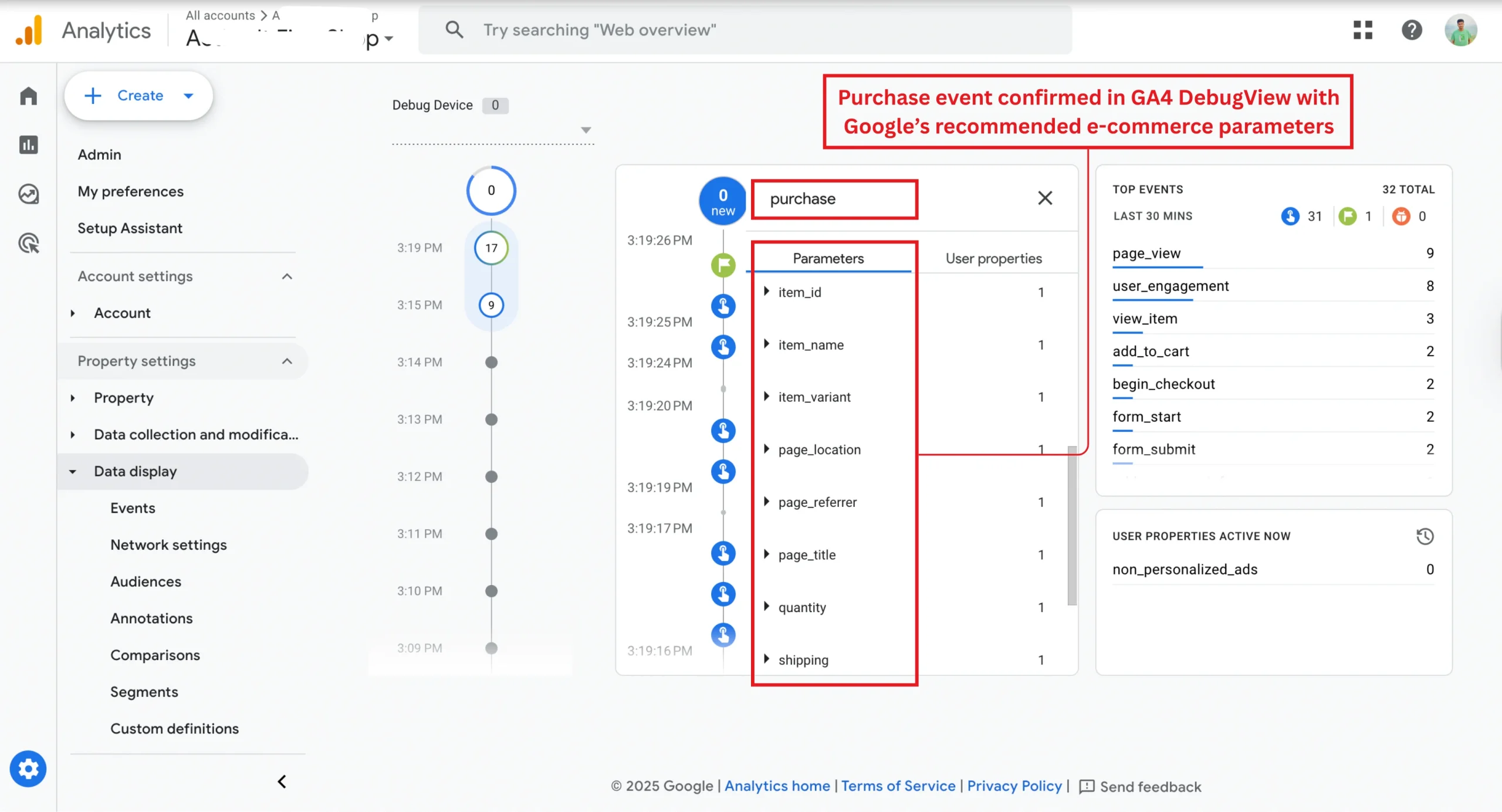
GTM Preview Validation
Confirmed GA4 purchase event in DebugView with product IDs, names, quantity, value, tax, and shipping.
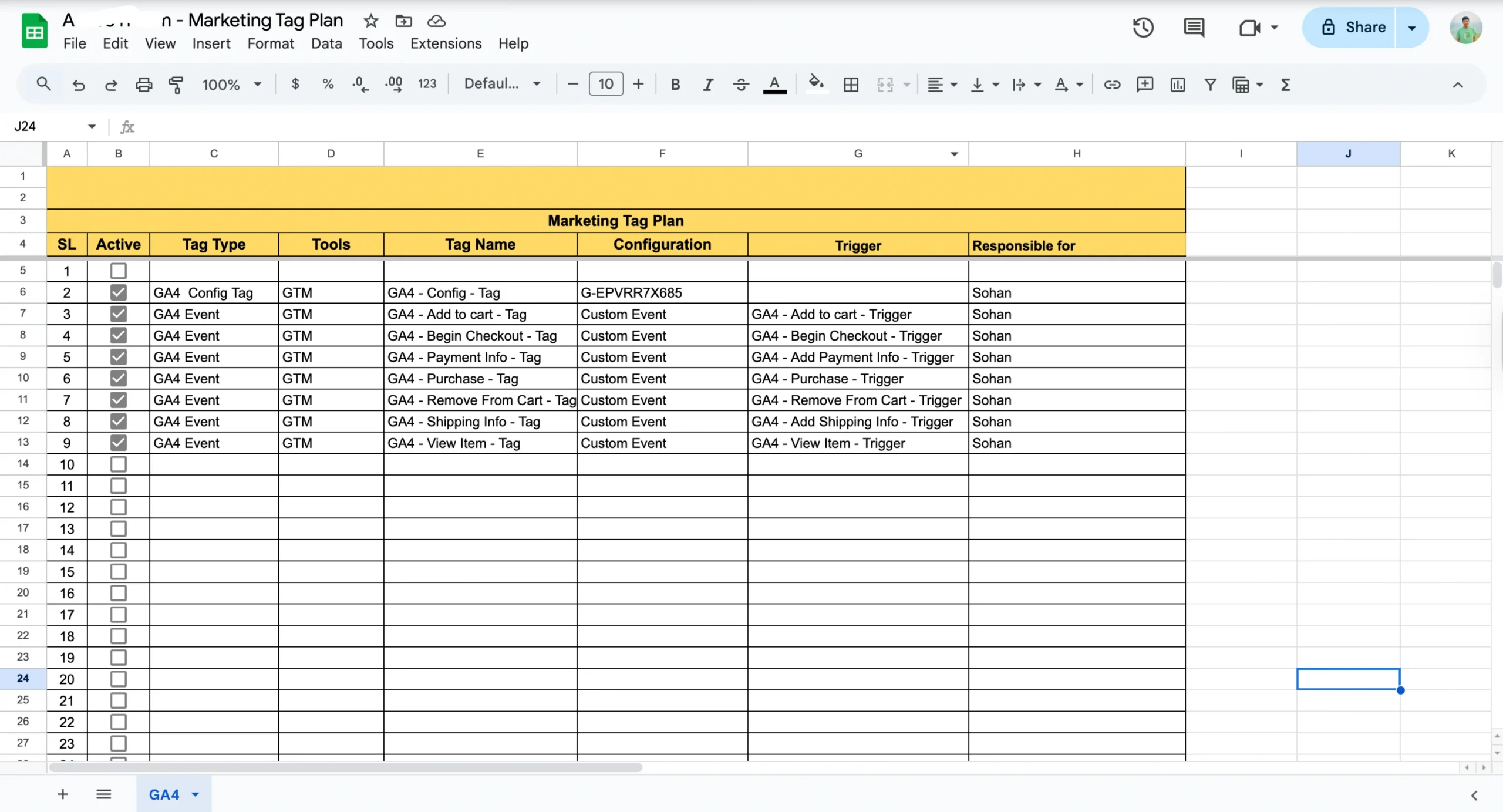
Tag Plan Documentation
Created a Marketing Tag Plan documenting GA4 tags, triggers, and variables for transparency and scalability.